Drone Maintenance and Inspection: A Complete Part 107 Guide
Part 107 requires a preflight inspection before every flight. Learn how to maintain your airframe, propellers, batteries, motors, and firmware to keep your drone airworthy.
Why Drone Maintenance Matters for Every Pilot
You're out in the field on a major client gig. Your heart races as the drone powers up. The hum of the motor signals that paycheck you've been waiting for. But then your DJI Fly App throws up a compass calibration failure notification. The client is watching, annoyed, as you fumble around trying to recalibrate it. You only have 20 minutes of a weather window left.
Proper drone maintenance can mean the difference between a job well done or a job lost. This guide covers what maintenance Part 107 actually requires, what an efficient preflight inspection looks like, and how to build a routine that keeps your drone airworthy and your operations legal.
What Part 107 Requires for Drone Maintenance
Simply put, Part 107 requires you to inspect your drone before every flight to ensure it is safe to fly. Specifically, 14 CFR §107.15 states that the remote pilot in command (PIC) must check a small unmanned aircraft system (sUAS) "prior to each flight" to "determine whether it is in a condition for safe operation."
The regulation does not prescribe a specific maintenance program for standard Part 107 operations. Rather, the FAA leaves it to the pilot to follow manufacturer guidelines or develop their own procedures based on the aircraft's use or operational needs.
Category 4 Operations: Stricter Requirements
Category 4 operations (where drones fly over people and moving vehicles) require a drone airworthiness certificate under 14 CFR Part 21. The owner must ensure anyone performing maintenance or inspections uses manufacturer-prescribed methods, has proper knowledge, and maintains detailed records of all work performed.
What Should a Drone Preflight Inspection Include?
Before heading to the job site, assess weather conditions and flight restrictions in the area. Look for incoming storms and wind levels. Monitor KP index levels for increased geomagnetic activity that can affect your drone's compass and IMU. Check for temporary flight restrictions (TFRs) or notices to airmen (NOTAMs).
Ensure all certifications and documents (insurance, LAANCs) are readily available, and your FAA registration markings are visible on the drone's body.
On-Site Drone Inspection Checklist:
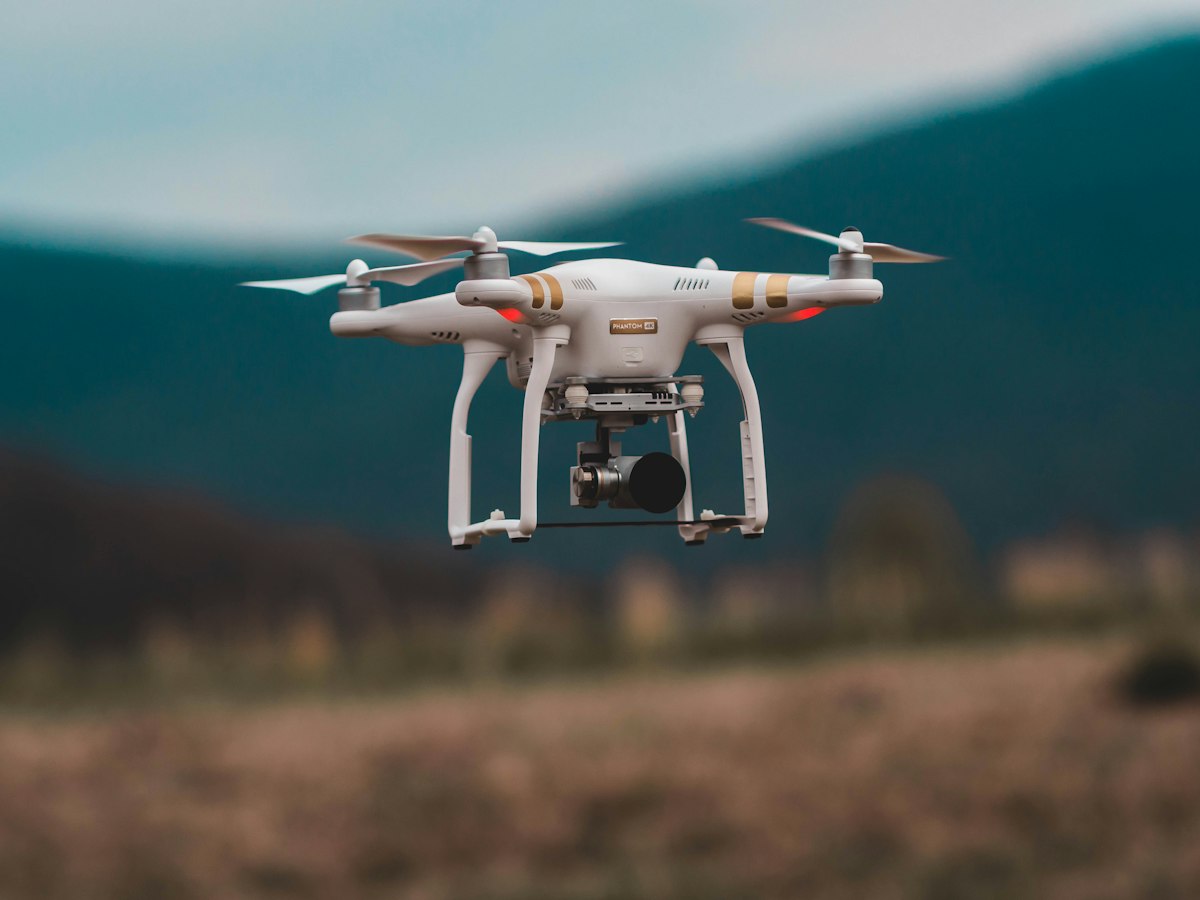
- Airframe: Inspect for damage, scratches, or wear on the drone's body
- Propellers: Lightly turn each propeller to ensure smooth rotation; look for chips or damage; replace as needed
- Batteries: Check for bulging or obvious damage; confirm sufficient power
- Gimbal: Scroll up and down to check functionality; look for shaking indicating debris in gimbal arms
- Firmware: Check for any firmware or calibration updates
- IMU & Compass: Verify inertial measurement unit and onboard sensors are functioning; recalibrate on a flat surface away from metal buildings if needed
- Control Links: Verify all control links between drone and controller work properly; ensure accurate stick responses
- Video Signal: Watch for interference or lag in the video feed
- Payloads: Check attached payloads are securely connected; hover at low altitude to verify stability
Maintaining Your Drone's Airframe and Propellers
Airframe
Inspect your drone's airframe regularly for cracks, dents, or accumulated dirt. Clean the airframe periodically — dust and debris can affect your drone's cooling vents and sensors. Store your drone in a protective case when not in use to prevent damage during transport or storage.
Propellers
Propellers are the most wear-prone components on your drone. Inspect them before every flight for chips, cracks, or debris. Listen for abnormal motor sounds — buzzing, rattling, or excessive vibration indicates propeller damage or debris caught in the motor.
Replace propellers at the first sign of damage — flying with damaged propellers increases vibration, reduces flight time, and can damage other components. Keep spare propellers on hand, especially for commercial operations.
Motors
Motor maintenance is often automatic through firmware, but check motor wire connections regularly. Damaged motor wires can cause erratic behavior and should be replaced by a professional or the manufacturer.
Caring for Your Drone Batteries
Batteries are the heartbeat of your drone. A battery that unexpectedly fails can end a flight — or a job — prematurely.
- Charge cycles: Track how many charge cycles each battery has; lithium batteries degrade after 300-500 charge cycles
- Storage temperature: Store batteries at room temperature; avoid extreme temperatures during charging
- Visual inspection: Check for swelling, bulging, or damage to the battery casing
- Voltage consistency: Monitor battery voltage in your drone's app; significant drops indicate battery degradation
- Replacement schedule: Replace batteries that show inconsistent performance or after manufacturer-recommended charge cycles
Why Firmware and Software Updates Are Critical
Firmware updates from the manufacturer are crucial for security, stability, and compatibility. Outdated firmware can cause:
- Unexpected crashes or flight termination
- Compatibility issues with your controller app
- Security vulnerabilities that could affect your drone's control
- Missed features and improvements
Always update firmware when prompted, but never update firmware immediately before a job — updates can sometimes introduce bugs. Update during downtime and test the drone thoroughly afterward.
Building a Drone Maintenance Schedule
Scheduled Drone Maintenance
- Daily: Visual inspection of drone, battery check, firmware update check
- Weekly: Full propeller inspection, gimbal calibration, IMU/compass calibration
- Monthly: Deep clean of airframe, battery replacement assessment, software audit
- Quarterly: Professional inspection if needed, propeller replacement, full systems check
- Annually: Consider sending to manufacturer for professional servicing
Unscheduled Drone Maintenance
Be ready to perform unscheduled maintenance when:
- Your drone is dropped, bumped, or physically damaged
- You notice abnormal motor sounds or flight behavior
- Battery performance is inconsistent or declining
- Firmware or calibration errors appear
- Your drone has been stored for an extended period
Drone Storage Best Practices
When not flying, store your drone in a protective case or carrying bag. This prevents dust accumulation, protects against accidental damage during transport, and extends your drone's lifespan. Keep your drone away from extreme temperatures, humidity, and moisture during storage.
Should You Keep Drone Maintenance Records?
The FAA strongly recommends keeping written maintenance and inspection logs, even though Part 107 doesn't explicitly mandate them for standard operations. Records protect you in several ways:
- Liability protection: Documentation of proper maintenance practices
- Insurance claims: Evidence of proper care in case of incidents
- Airworthiness tracking: History of inspections and repairs
- Compliance: Required for Category 4 operations
Frequently Asked Questions
Does Part 107 require a preflight inspection before every flight?
Yes. 14 CFR §107.15 requires the PIC to inspect the drone before each flight to determine if it is in a condition for safe operation.
Can I do my own drone maintenance under Part 107?
Yes, for standard operations. The FAA allows pilots to follow manufacturer guidelines or develop their own procedures. Category 4 operations require manufacturer-prescribed methods and professional-level record keeping.
How often should I replace my drone's propellers?
Replace propellers at the first sign of damage — chips, cracks, or abnormal motor sounds. Many pilots replace propellers annually as part of routine maintenance, especially for commercial drones that see heavy use.
What happens if I fly a drone that is not in a condition for safe operation?
Operating a drone in unsafe condition is a violation of Part 107. This can result in fines, confiscation, and civil liability for any damages or injuries caused. Always perform a preflight inspection before every flight.
Do I need to report a drone crash to the FAA?
Yes, if the crash caused damage or loss. Report crashes through the FAA's drone crash reporting system. Also notify your drone manufacturer and insurance provider.
Conclusion
Proper drone maintenance is the difference between a successful job and a costly failure. By performing daily preflight inspections, following manufacturer guidelines, building a maintenance schedule, and keeping records, you extend your drone's service life, protect your operations legally, and ensure you're ready when the weather window opens on your next big shoot.
Explore Dronable Tools
Get Your Drone Certification
Pass your FAA Part 107 or EASA exam with confidence — our Academy courses include study materials, quizzes, and mock exams that walk you through every requirement.
Start LearningFree: How to Start a Drone Business
The complete step-by-step guide to turning your passion for flying into a profitable drone business — completely free.
- 10 steps to launching your drone business
- 51 proven drone business ideas
- How to get FAA certified (Part 107)
- Pricing, clients & recurring income
Join the Dronable Newsletter
Get drone tips, new articles, and exclusive deals straight to your inbox. No spam, unsubscribe anytime.