Audit Ready Drone Flight Logs for Pilots: Two Backups and Local Privacy
Audit Ready Drone Flight Logs for Pilots: Two Backups and Local Privacy
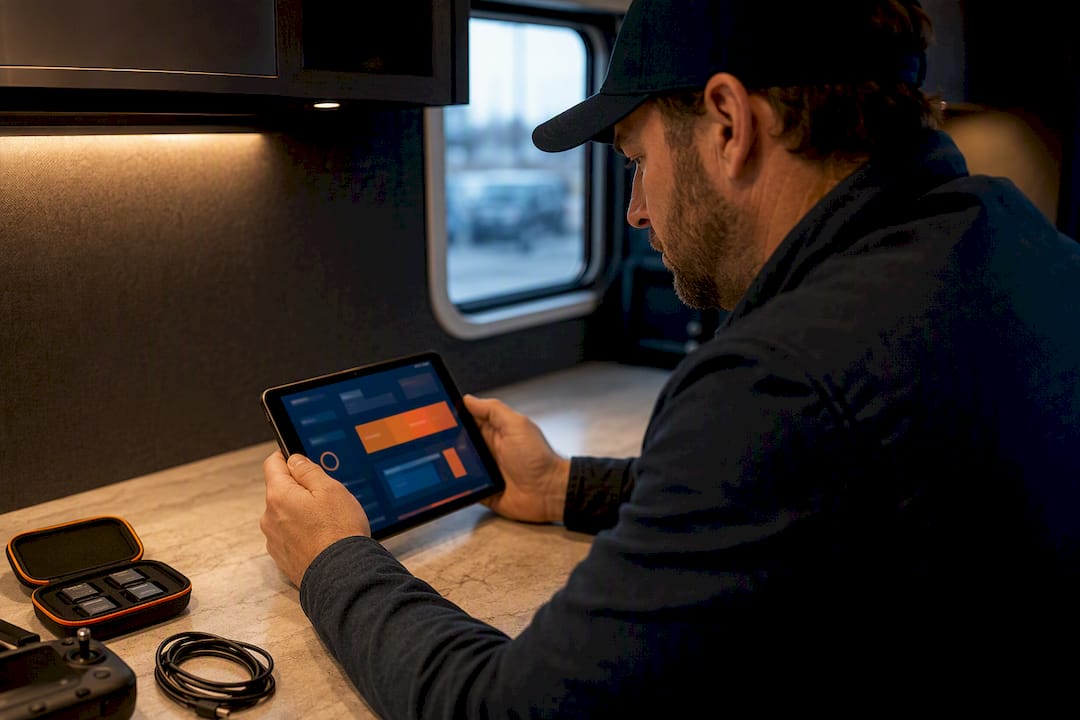
Drone flight logs combine automated telemetry (altitude, speed, GPS, battery health) with brief manual notes on mission purpose and anomalies. The best approach: enable automatic sync between your controller or app and a logbook tool, add a one-line context note after each flight, and export backups regularly in formats you can actually reopen later. Start by checking your app’s export settings.
- Automatic sync and proper export formats (CSV, JSON, GPX, KML, PDF) are essential for maintaining accessible and analyzable drone logs across devices.
- Manual notes on flight purpose or anomalies, recorded immediately after landing, greatly enhance the log’s usefulness during investigations or client inquiries.
- Regular backups in multiple formats are critical, especially for commercial pilots, who should save logs after every flight to meet regulatory and liability requirements.
- Reviewing playback tools and checking battery cycles or telemetry outliers can prevent mid-air failures and support forensic review if needed.
- Integrated platforms that combine flight logs, credentials, and maintenance data streamline compliance, reduce busywork, and prepare pilots for audits or insurance claims.
Table of Contents
- What to Record in a Drone Flight Log
- How to Collect and Import Your Flight Records
- How to Analyze and Use Your Flight Data
- Storage, Privacy, and Export Formats That Hold Up
- Using Flight Logs for Compliance, Audits, and Insurance
- Why Integrated Flight-Log Workflows Actually Save Time
- A Simpler Way to Keep Your Logs Audit-Ready
- Sources
What to Record in a Drone Flight Log
A flight log is only as useful as its weakest field. Skip the metadata and you have a folder of numbers nobody can decode six months later.
Every entry needs a baseline set of facts, plus a short human note that telemetry alone can’t capture.
- Metadata: date, time, GPS coordinates, pilot ID, aircraft ID, and Remote ID broadcast status
- Telemetry: max altitude, distance traveled, top speed, GPS fix quality, and any telemetry dropouts
- Battery and maintenance: cycle count, voltage curve, propeller wear, airframe notes
- Mission context: purpose of the flight, payload carried, airspace authorization, local landowner or facility permission
Drone operations software can capture most telemetry and battery data automatically, but pilots typically add manual notes about mission purpose or anomalies because sensors don’t record why you flew or what went wrong socially, only what happened mechanically, according to Drone Pilot Ground School. A neighbor complaint, a sudden gust, a near miss with a bird: none of that shows up in a CSV column.
Pro Tip: Log the reason for the flight in five words or less, right after landing. That single habit turns a spreadsheet of numbers into a searchable record when a client or investigator asks “why were you flying there?”
How to Collect and Import Your Flight Records
Getting logs out of your controller and into a usable format is where most pilots either build a good habit or give up entirely.
- Enable automatic sync where your app supports it. Many platforms watch a designated folder or cloud account and pull new logs the moment your phone or controller reconnects to Wi-Fi.
- Locate the native export. DJI apps typically produce .txt flight records; Litchi exports CSV; most commercial platforms bundle exports as ZIP files containing multiple formats.
- Choose the right file type for the job. GPX and KML are built for mapping and replay. CSV and JSON hold the raw numbers you need for battery analysis or spreadsheet work.
- Import in bulk when migrating a season’s worth of flights, and deduplicate by flight timestamp so you don’t end up with the same mission logged twice.
A few practical snags come up constantly:
- Switching apps mid-flight can truncate the log, so finish a mission in the same app you started it
- Background app sleep on some phones interrupts sync, so keep the logging app open during transfer
- If auto-sync stalls, a manual export almost always resolves it, since syncing failures are often just a matter of the device losing its connection before the transfer finishes, per DroneDeploy’s flight log documentation
Vendor support pages, including DronesMadeEasy’s guidance on flight log storage, note that log file paths and access tokens vary by device, so budget extra time the first time you set up a new aircraft.
How to Analyze and Use Your Flight Data
Raw logs are a starting point, not an endpoint. The value shows up once you replay, compare, and package the data for someone other than yourself.
Flight replay tools sync your GPS path with telemetry fields like altitude and speed, so you can scrub through a mission and see exactly what the aircraft was doing at the moment something went wrong. That’s the fastest way to review a near miss or explain a flight to a client who wasn’t on-site.
Useful checks to run after most flights:
- Compare the battery voltage curve against previous cycles to catch early degradation before a cell fails mid-air
- Flag any telemetry outliers (sudden altitude spikes, GPS fix loss) for a closer look
- Preserve the raw log file, its export timestamp, and flight metadata untouched, in case forensic review is ever needed
- Export a client-ready PDF summarizing flight time, coverage area, and mission outcome
Open-source tools like Open DroneLog support 3D flight replay and battery health tracking directly from imported DJI .txt or Litchi CSV files, with no cloud account required. Specialized logging services built for commercial fleets emphasize fast PDF report generation specifically because clients and inspectors rarely want to open a raw CSV, according to sUAS-Logs. Automating tags for mission type and scheduling monthly summary reports turns this from a chore into something that runs in the background.
Storage, Privacy, and Export Formats That Hold Up
Cloud storage makes logs accessible across devices, but local-first storage keeps sensitive mapping or inspection data off servers you don’t control. Pilots doing government, infrastructure, or client-confidential work often lean local for exactly that reason.
Keep these formats on hand, since each serves a different purpose:
- CSV/JSON: raw telemetry for spreadsheet work or custom analysis
- GPX/KML: flight paths for mapping software and quick visual replay
- PDF: finished reports for clients, insurers, or audits
Open DroneLog stores data locally by default and batch exports to CSV, JSON, GPX, and KML, which covers most of what a privacy-conscious pilot needs without touching a cloud server, per Open DroneLog’s documentation. Open-source repositories like the open-dronelog project on GitHub extend that same self-hosted approach for pilots who want full control over parsing and export.
Pro Tip: Keep at least two backup copies of every log in different formats: one raw (CSV or JSON) for future analysis, one finished (PDF) for anyone who asks to see proof of a flight.
Hobbyists can usually get away with an annual archive sweep. Commercial pilots should back up after every job and retain records as long as their liability exposure or contract terms require.
Using Flight Logs for Compliance, Audits, and Insurance
Regulators and insurers generally want the same three things: proof of flight time, proof of pilot currency, and proof the mission was authorized for that airspace. A gap in any of the three turns a routine claim or audit into a drawn-out argument.
Build your audit packet the same way every time:
- Pull the raw flight logs for the relevant date range
- Generate a PDF summary showing flight time, location, and mission purpose
- Attach maintenance history for the aircraft used, including battery cycle counts
- Include current pilot credentials and certification status
- Save the packet as a single dated folder so it’s ready to hand over without a scramble
Rules on what counts as an acceptable record vary by jurisdiction and by insurer, so check your specific regulatory requirements before an audit lands on your desk rather than during one.
Why Integrated Flight-Log Workflows Actually Save Time
Manually piecing together logs, maintenance notes, and credentials from three different apps costs more time than most pilots admit. Automation does not replace judgment. It removes the busywork so a pilot can spend that time flying or reviewing footage instead of hunting for a CSV file. An integrated workspace that ties collection, analysis, and compliance together turns a scattered filing habit into a repeatable process.
A Simpler Way to Keep Your Logs Audit-Ready
An integrated platform can bring automated flight logging, airspace clearance, and client management into the same workspace, so you can avoid rebuilding audit packets from multiple disconnected tools every time a job wraps.
The platform’s automated flight logs handle the collection step covered earlier, while SkyScore™ checks airspace safety before you fly and Drone Passport keeps your certifications and credentials in one verifiable place. Exportable reports pull all three together into something you can hand a client or an inspector without extra formatting work. For pilots managing a fleet, that means maintenance notes, battery history, and mission records live next to your credentials instead of scattered across separate apps. Check out the tools Flydronable offers, or head to the main platform to see how automated logging fits into your existing workflow.
Sources
- What’s the best way to keep a drone flight log, and what should I be documenting from each flight? - Drone Pilot Ground School
- Open DroneLog | Free Open Source Drone Log Analysis and backup tool- Own Your Drone Data
- Flight Logs – DroneDeploy
- sUAS-Logs - Drone Flight Log | Because Spreadsheets Are For Accountants
Recommended
Explore Dronable Tools
Deepen Your Knowledge
Get step-by-step video courses in the Dronable Academy — FAA Part 107, EASA, real estate drone photography, and more.
Browse CoursesFree: How to Start a Drone Business
The complete step-by-step guide to turning your passion for flying into a profitable drone business — completely free.
- 10 steps to launching your drone business
- 51 proven drone business ideas
- How to get FAA certified (Part 107)
- Pricing, clients & recurring income
Join the Dronable Newsletter
Get drone tips, new articles, and exclusive deals straight to your inbox. No spam, unsubscribe anytime.


