Get LAANC Clearance in Seconds: Drone Pilot Checklist and App Tips
Get LAANC Clearance in Seconds: Drone Pilot Checklist and App Tips
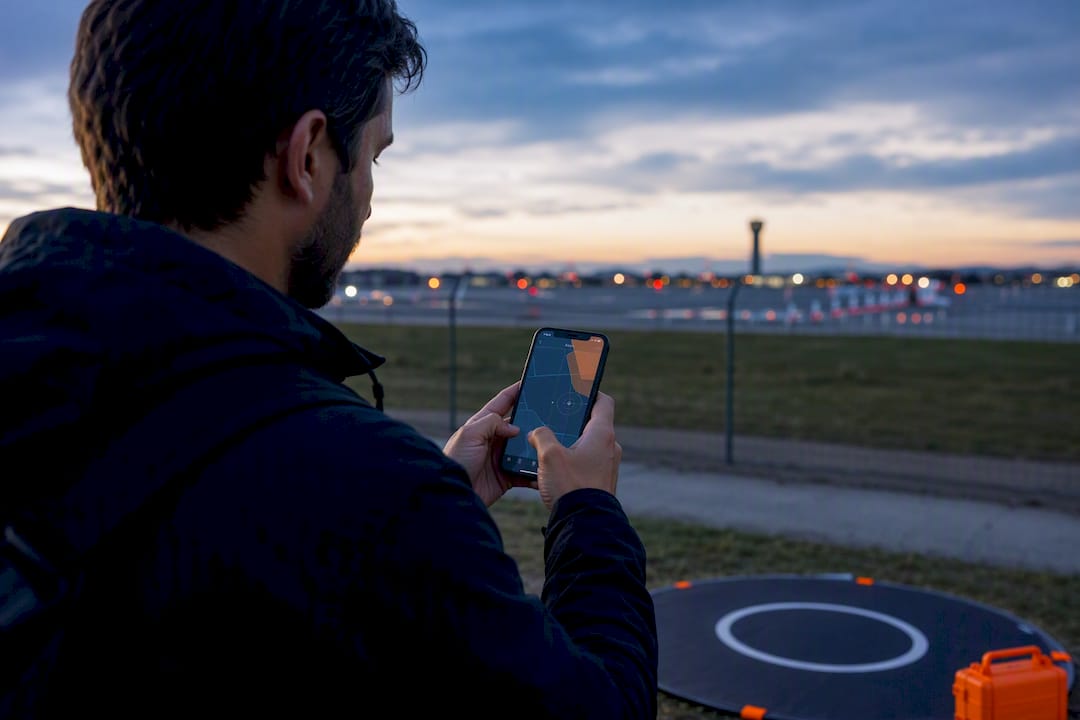
LAANC is the FAA’s automated system for near-real-time authorization to fly a drone in controlled airspace at or below 400 feet AGL. If your flight sits in Class B, C, D, or surface Class E near an airport, and your planned altitude falls within the UAS Facility Map grid cell ceiling for that spot, LAANC usually clears you in seconds.
- Most LAANC approvals occur within seconds to minutes when requesting within the grid ceiling, but requests above that ceiling require manual review and can take days to weeks.
- Using a USS app that does not support Further Coordination limits pilots to auto-approvals, which restricts operational flexibility for flights exceeding grid ceilings or near special-use airspace.
- Flying outside the approved altitude or into a non-participating facility’s area without manual authorization risks FAA enforcement, civil penalties, or suspension of certification.
- Checking a grid cell ceiling and saving authorization details in a structured workflow significantly reduces errors and saves time during client projects.
Flydronable
Simplify Your Airspace Workflow
Dronable brings airspace safety, automated flight logs, and client tools into one workspace for more efficient drone operations.
Table of Contents
- What Is LAANC and Who Can Use It?
- How LAANC Works: Facility Maps, Auto-Approvals, and Further Coordination
- Step-by-Step: Applying for LAANC Through a USS App
- Timing, Limits, and the Mistakes That Trip Up Pilots
- When LAANC Isn’t Available: Manual Authorization and DroneZone
- What Happens If You Fly Without Required Authorization
- Building LAANC Into Your Preflight Routine
- Author Perspective: What Actually Matters Once You’re Flying for Clients
- Simplify Your LAANC Workflow With Dronable
- Sources
- FAQ
What Is LAANC and Who Can Use It?
LAANC stands for Low Altitude Authorization and Notification Capability. The FAA built it because the old process, calling air traffic control or filing paper requests, could not scale to the number of drones now flying near airports. Manual review took days. LAANC turns that into a data exchange that runs in the background of an app.
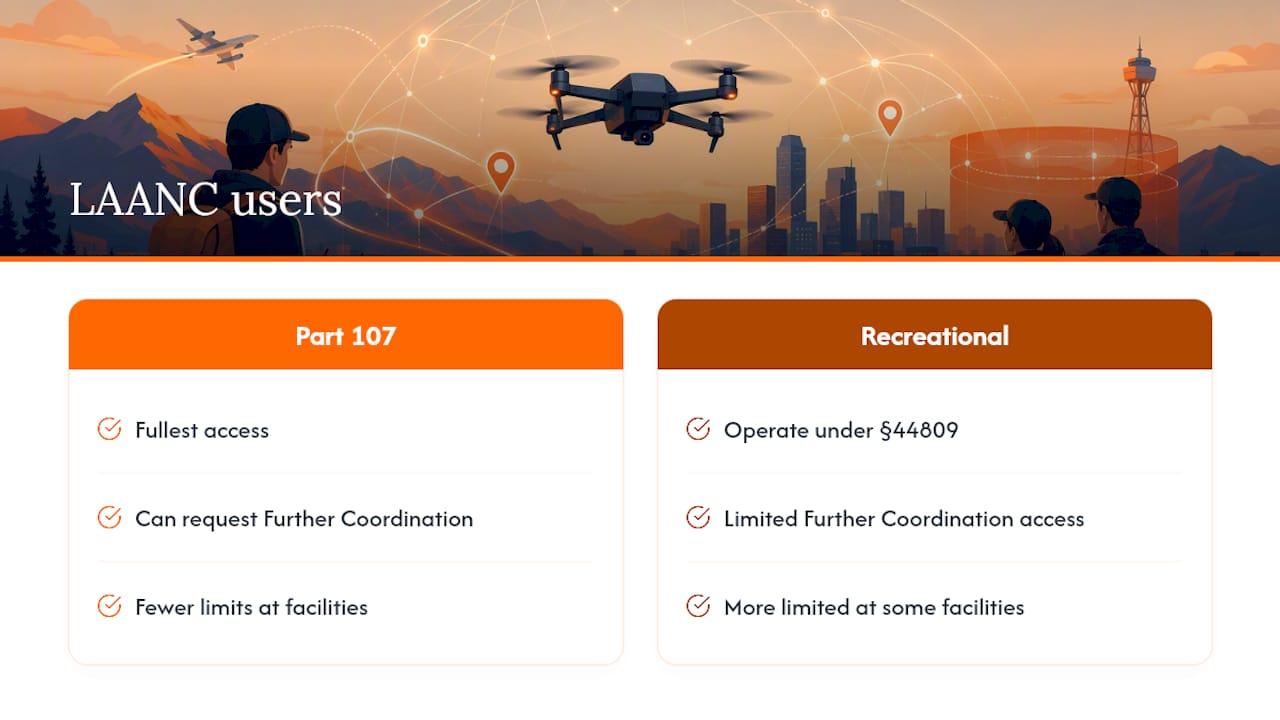
Two groups of pilots can use it. Part 107 commercial remote pilots get the fullest access, including Further Coordination requests when needed. Recreational flyers operating under Section 44809 can also request LAANC authorization, though their access at some facilities is more limited than what a certificated Part 107 pilot gets.
Three parties keep the system running. The FAA maintains the UAS Facility Maps and sets the rules. Approved UAS Service Suppliers, or USSs, are the apps that submit your request and talk to the FAA’s system through an API. You, the operator, are responsible for entering accurate flight data and following whatever limits your authorization carries.
How LAANC Works: Facility Maps, Auto-Approvals, and Further Coordination
Every LAANC-enabled facility has a UAS Facility Map broken into grid cells, each with a maximum altitude the FAA has pre-cleared for drone traffic. Request a flight at or under that ceiling, and the system can approve it automatically because the airspace math is already done. Ask for something above the grid ceiling but still at or below 400 feet AGL, and the request routes into Further Coordination instead, meaning a human at the facility has to look at it.
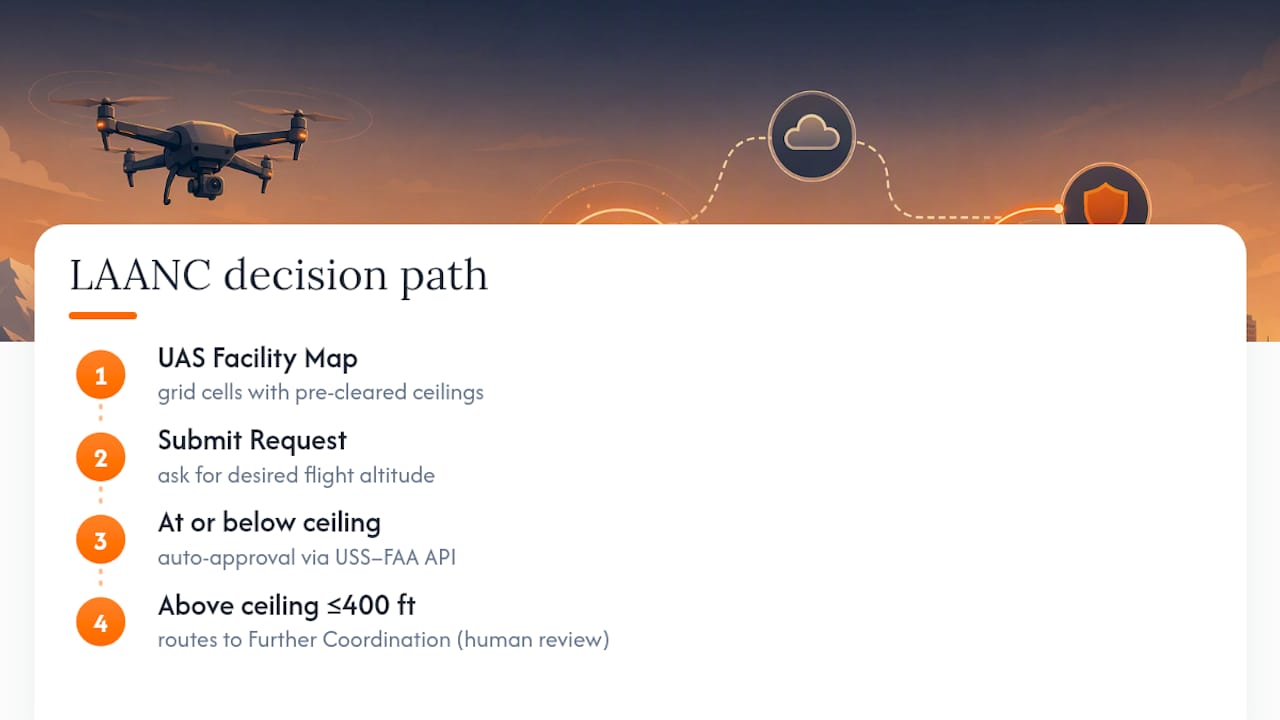
The mechanics behind that auto-approval run on an API connection between your chosen USS and the FAA’s backend. According to the LAANC Concept of Operations, this messaging happens in near-real time for most requests, and operators can submit as far as 90 days ahead of a planned flight.
Further Coordination isn’t unlimited. The Performance Rules that govern USS behavior set submission cutoffs for FC requests and require automatic cancellation if a facility hasn’t resolved the request close to the requested start time. Not every USS even offers FC. Some apps are built for auto-approval only, so if your flight needs manual review, that app has to tell you to look elsewhere.
Step-by-Step: Applying for LAANC Through a USS App
Getting authorization right the first time comes down to sequence. Skip a step and you’ll either get denied or waste time resubmitting.
- Pick an FAA-approved USS app and confirm it handles your operation type. Not every USS supports Further Coordination, so check that detail if your flight might need it.
- Find the UASFM grid cell for your location and note its ceiling. A cell showing a 0-foot ceiling means the area isn’t eligible for automatic approval at all.
- Enter your flight details: the date and time window, the exact area you’ll fly (drawn on the map or entered as coordinates), your requested altitude, and your registration or remote pilot credentials.
- Submit the request and wait for the response. Auto-approved flights return an answer almost instantly.
- Save your digital authorization somewhere you can pull up in the field, since you need to produce it if a facility or law enforcement asks.
Pro Tip: Run a test request in your USS app for a low-stakes flight before you ever have a paying client on the calendar. You want to know how that specific app handles grid cells and denials before your money and reputation are riding on it.
Timing, Limits, and the Mistakes That Trip Up Pilots
Auto-approved LAANC requests typically clear in seconds to a few minutes. Further Coordination is a different animal entirely: FAA rules build in submission deadlines and automatic cancellation if a facility hasn’t acted by a certain point before your requested start time, per the Performance Rules. That review can stretch from days to several weeks depending on facility workload, so plan any commercial job that needs FC well ahead of the shoot date.
Common mistakes that cause denials or delays:
- Requesting an altitude above the grid cell ceiling without realizing it will trigger Further Coordination instead of an instant approval.
- Drawing a flight area that crosses into a neighboring grid cell with a lower ceiling than the one you checked.
- Ignoring active TFRs or NOTAMs that override an otherwise clear UASFM cell.
- Assuming every USS app supports Further Coordination when many only handle auto-approval requests.
Statistic Callout: More than 500 LAANC-enabled facilities cover over 1,000 airports nationwide, but coverage still isn’t universal. If your app returns a denial, check whether the issue is a grid ceiling, a special-use airspace overlay, or simply a facility that doesn’t participate in LAANC at all before assuming manual authorization is your only path forward.
When LAANC Isn’t Available: Manual Authorization and DroneZone
LAANC doesn’t cover everything. You’ll need manual authorization when the facility doesn’t participate in LAANC, your grid cell shows a 0-foot ceiling, you want to fly above the UASFM ceiling and above what Further Coordination allows, or you’re near special-use or military airspace. Certificates of Waiver or Authorization also fall outside LAANC entirely and route through DroneZone instead.
Manual requests through DroneZone take longer, sometimes weeks, and there’s no guaranteed turnaround. Submit as early as your project timeline allows, and if your operation has an unusual safety angle, spell it out clearly in the application rather than leaving the reviewer to guess.
What Happens If You Fly Without Required Authorization
LAANC approval covers airspace access, but it doesn’t replace crucial steps like drone safety awareness and preflight checks in Estonia. It doesn’t check weather, verify NOTAMs, or confirm a temporary flight restriction isn’t active over your site, that responsibility stays with you every time you fly.
The FAA has stepped up enforcement against unauthorized and unsafe UAS operations, and unapproved flights in controlled airspace can lead to civil penalties, certificate suspension, or revocation. Keep a copy of every authorization, respect the altitude and area limits it grants, and document your preflight checks. That paper trail is what protects you if anyone questions the flight later.
Building LAANC Into Your Preflight Routine
A LAANC check works best as one link in a chain, not a standalone task you do and forget.
- Pull the UASFM ceiling and request authorization before you touch anything else on your preflight list.
- Log the flight details, area, and altitude alongside your authorization record, not in a separate notebook or app.
- Keep your remote pilot credentials and registration accessible so you’re not scrambling if a facility or inspector asks for proof mid-shoot.
- Flag any job that might need Further Coordination or manual authorization as soon as you scope it, not the week before the shoot.
Pro Tip: Treat your digital credentials and flight logs as one file, not scattered screenshots. When a client or inspector asks for proof of a specific flight, you want to pull one record, not dig through three apps.
Author Perspective: What Actually Matters Once You’re Flying for Clients
Test your LAANC workflow before a client’s schedule depends on it. Pick one USS that actually supports the operations you run, not just the one with the nicest interface, and get in the habit of saving every authorization. If a job might need Further Coordination, start that process the moment you book the gig, not the week before.
Simplify Your LAANC Workflow With Dronable
Checking a grid cell ceiling is one task. Keeping the authorization, the flight log, and your credentials all in one place for every client job is another problem entirely, and it’s the one that actually costs pilots time. Dronable’s SkyScore™ airspace tool ties directly into that first step, while Drone Passport keeps your digital credentials ready to show a client or inspector without digging through old screenshots.

Deal Studio adds the piece most pilots skip: turning a cleared flight into a documented client proposal instead of a scattered text thread. If you’re tired of juggling a UASFM lookup in one app, your flight log in a spreadsheet, and your certifications in a folder somewhere, look at the Starter, Pilot Pro, or Elite membership plans and see which one matches how often you fly for clients.
FAQ
What Happens if You Fly Without LAANC?
Flying in controlled airspace without required authorization can trigger FAA enforcement action, including civil penalties and possible certificate suspension or revocation, especially as the FAA has stepped up enforcement against unauthorized operations. The FAA can also identify unauthorized flights through radar, visual reports, or airspace complaints, so “no one saw me” isn’t a reliable defense.
Does the FAA Know if You Fly Above 400 Feet?
The FAA doesn’t track every drone in real time, but flying above 400 feet AGL puts you outside LAANC’s authorized envelope and into airspace shared with manned aircraft, which increases both safety risk and the chance of detection through reported incidents or radar returns. Staying within your authorized altitude keeps you inside a system built specifically to avoid that conflict.
Can LAANC Be Denied?
Yes. A request can be denied if it exceeds a UASFM grid cell ceiling, falls in a 0-foot cell, overlaps a temporary flight restriction, or targets a non-participating facility. When that happens, check whether the issue is the altitude, the specific cell, or the facility itself before deciding whether Further Coordination or manual authorization through DroneZone is your next step.
Who Are the Leading LAANC Providers in the US?
Multiple FAA-approved USS apps offer LAANC access, and they vary in whether they support Further Coordination, flight logging, or client-facing features on top of basic authorization. Dronable’s SkyScore™ tool is built to fold that airspace check into a broader workflow that also covers digital credentials and flight records, which matters most for pilots juggling multiple client jobs rather than a single hobby flight.
Recommended
Explore Dronable Tools
Deepen Your Knowledge
Get step-by-step video courses in the Dronable Academy — FAA Part 107, EASA, real estate drone photography, and more.
Browse CoursesFree: How to Start a Drone Business
The complete step-by-step guide to turning your passion for flying into a profitable drone business — completely free.
- 10 steps to launching your drone business
- 51 proven drone business ideas
- How to get FAA certified (Part 107)
- Pricing, clients & recurring income
Join the Dronable Newsletter
Get drone tips, new articles, and exclusive deals straight to your inbox. No spam, unsubscribe anytime.


