Renew Part 107 Free With FAA ALC-677/ALC-515 for Commercial Pilots

Renew Part 107 Free With FAA ALC-677/ALC-515 for Commercial Pilots
Part 107 renewal happens by completing the FAA’s free online recurrent training, course code ALC-677 or ALC-515, once every 24 calendar months. There’s no fee, no test center visit, and no retest through PSI. You log in to Faasafety, work through the modules at your own pace, and download a completion certificate that restores your currency for another 24 months.
- Recurrent FAA Part 107 training must be completed every 24 months via free online modules, with no retest or fee involved, to maintain legal flying privileges.
- The process requires logging into FAASafety.gov, selecting the correct course code (ALC-677 for most pilots), working through self-paced modules, and downloading the completion certificate.
- Renewing early by a few weeks prevents technical issues or account mismatches from risking a lapse in your permissions.
- Completing the course resets your operating clock, but the FAA only provides a digital proof of currency; physical certificates are not issued.
- If your Part 107 currency lapses, the only fix is retaking the free FAA course; flying without recurrency remains illegal until then.
Table of Contents
- Who needs recurrent training and the 24 month calendar rule
- How do you complete the FAA’s free recurrent course?
- What completion does for your privileges and recordkeeping
- What if your Part 107 currency has lapsed?
- What does the recurrent course actually cover?
- Practical tips, common pitfalls, and recordkeeping shortcuts
- Preparing for recurrent training with Dronable
- A practitioner’s note on staying current without the scramble
- Sources
Who needs recurrent training and the 24 month calendar rule
Every remote pilot holding a Part 107 Remote Pilot Certificate must stay current, and currency is not the same thing as the certificate itself. The certificate never expires, but your legal ability to exercise its privileges lapses if you skip recurrent training. Two course codes cover this:
- ALC-677 is the standard Part 107 Small UAS Recurrent course for most certificate holders.
- ALC-515 applies specifically to Part 61 pilots who hold current flight reviews.
The FAA measures the “24 calendar months” window to the end of the month, not the exact day you tested. If you passed your initial exam on March 14, your window runs through the end of March, 24 months later, giving you some built-in buffer.
How do you complete the FAA’s free recurrent course?
Renewing takes less time than most pilots expect, especially once you know where to click. Here’s the sequence:
- Log in to FAASafety.gov. If you don’t have an account, create one using the same information tied to your FAA Tracking Number (FTN) in FAADroneZone. Double-check your name and certificate number match what’s on file.
- Search for the correct course. Type “ALC-677” into the course catalog if you hold a standard Part 107 certificate, or “ALC-515” if you’re a Part 61 pilot with a current flight review. Enrolling in the wrong one wastes time, since it won’t satisfy your recurrency requirement.
- Work through the modules. The course is self-paced and broken into short sections, each followed by a brief knowledge check. Nothing here is timed, so you can stop and resume as needed.
- Complete the final assessment. Once you clear the last knowledge check, the system marks the course complete and generates your certificate.
- Download and save your completion certificate immediately. FAASafety.gov displays it as a PDF. Save a copy locally and to whatever cloud storage you use for flight logs.
Plan on a modest amount of time to complete the course, depending on your reading speed.
Pro Tip: Complete your recurrent training two to three weeks before your 24 month window closes. If FAASafety.gov has a login hiccup or your account details need updating, you’ll have time to fix it without risking a lapse.
Use a desktop or laptop browser rather than a phone if you can. The course platform is functional on mobile, but module navigation and certificate downloads are smoother on a larger screen.
What completion does for your privileges and recordkeeping
Finishing the course resets your clock. You’re legally cleared to operate under Part 107 for another full 24 calendar months, starting from your completion date. There’s one detail that trips people up:
- The FAA does not mail or email a new paper certificate after recurrent training.
- Your proof of currency is the completion PDF from FAASafety.gov, and that’s the document you need to produce.
- Store it in a searchable cloud folder, and keep a copy in your physical flight kit or on your phone for site visits.
Clients and site supervisors sometimes ask for proof of current certification before you launch. A quick PDF beats fumbling for login credentials mid-job.
What if your Part 107 currency has lapsed?
If more than 24 calendar months have passed since your last recurrent training (or your initial test), you cannot legally fly commercial Part 107 operations until you fix it. Don’t fly for compensation in that window, even for a “quick” job.
The fix is simple: complete the appropriate FAA recurrent course, ALC-677 or ALC-515, on FAASafety.gov. There’s no PSI retest required, no matter how long the lapse has been. If you run into account issues, record mismatches, or anything unusual with your FTN, contact the FAA’s UAS Support Center directly at uashelp@faa.gov rather than guessing.
What does the recurrent course actually cover?
The recurrent course isn’t a rubber stamp. Content is mapped directly to the knowledge areas defined in §107.73, which means you’re reviewing the same regulatory backbone as your initial test, just refreshed for current rules.
Expect modules covering:
- Regulatory requirements and airspace classifications
- Weather effects on small UAS operations
- Loading and performance considerations
- Emergency procedures and operational limitations
The FAA also folds in coverage of newer rules that didn’t exist when many pilots first certified, including Remote ID broadcasting requirements, Operations Over People, and limited night operations conditions. If you certified before 2021, this is often the first place you’ll encounter FRIA (FAA-Recognized Identification Area) exceptions explained in plain terms. Since April 2021, this training has been free and available entirely online, a shift that replaced the older in-person paid recurrent PSI exam.
Practical tips, common pitfalls, and recordkeeping shortcuts
A few habits separate pilots who renew smoothly from those who scramble at the deadline.
- Do it early. Schedule recurrent training a few weeks before your 24 month window closes, not the night before.
- Confirm your course code before you start. ALC-677 and ALC-515 serve different pilot populations. Enrolling in the wrong one means redoing it.
- Save your certificate as a PDF immediately, and back it up alongside your flight logs, not in a random downloads folder you’ll never find again.
- Ignore any advice that mentions paying for renewal. Recurrent training has been free since the 2021 rule change. If a site or “prep service” is charging you for the FAA course itself, that’s a red flag.
Pro Tip: Set a recurring calendar reminder for 60 days before your recurrency deadline, not 24 months out. A two-year-out reminder gets ignored; a two-month-out one gets acted on.
The initial knowledge test through PSI carries a fee, roughly $175, but recurrent training doesn’t touch your wallet at all. If you’re budgeting for ongoing Part 107 costs, that’s one line item you can cross off every renewal cycle.
Preparing for recurrent training with Dronable
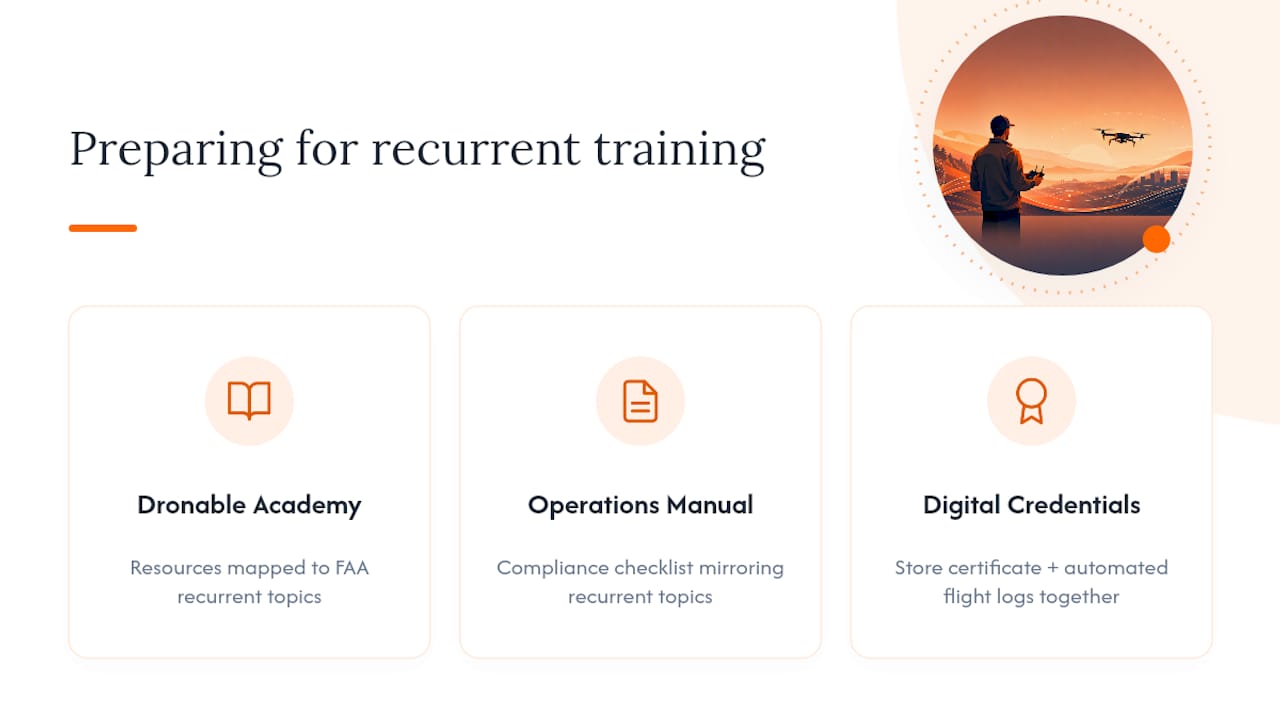
The FAA course covers the regulations, but reviewing the material beforehand makes the modules go faster. The Dronable Academy offers training-aligned resources that map to the same knowledge areas the FAA recurrent course tests, so you’re not seeing airspace classifications or loading calculations cold.
Once you’re current again, the Operations Manual gives you a compliance checklist that mirrors recurrent topics, useful for keeping your operation consistent between renewal cycles rather than just before them. Dronable’s Digital Credentials and Drone Passport features, along with automated flight logs, give you one place to store your completion certificate alongside the rest of your operational evidence, which matters when a client or site manager asks for proof on short notice.
A practitioner’s note on staying current without the scramble
The pilots who never lapse aren’t the ones with better memories. They’re the ones who tied recurrent training to something else on their calendar, like annual maintenance, insurance renewal, or firmware updates on their fleet. Bundle the FAA course into whatever operational review you already do once a year, and the 24 month clock stops being a threat.
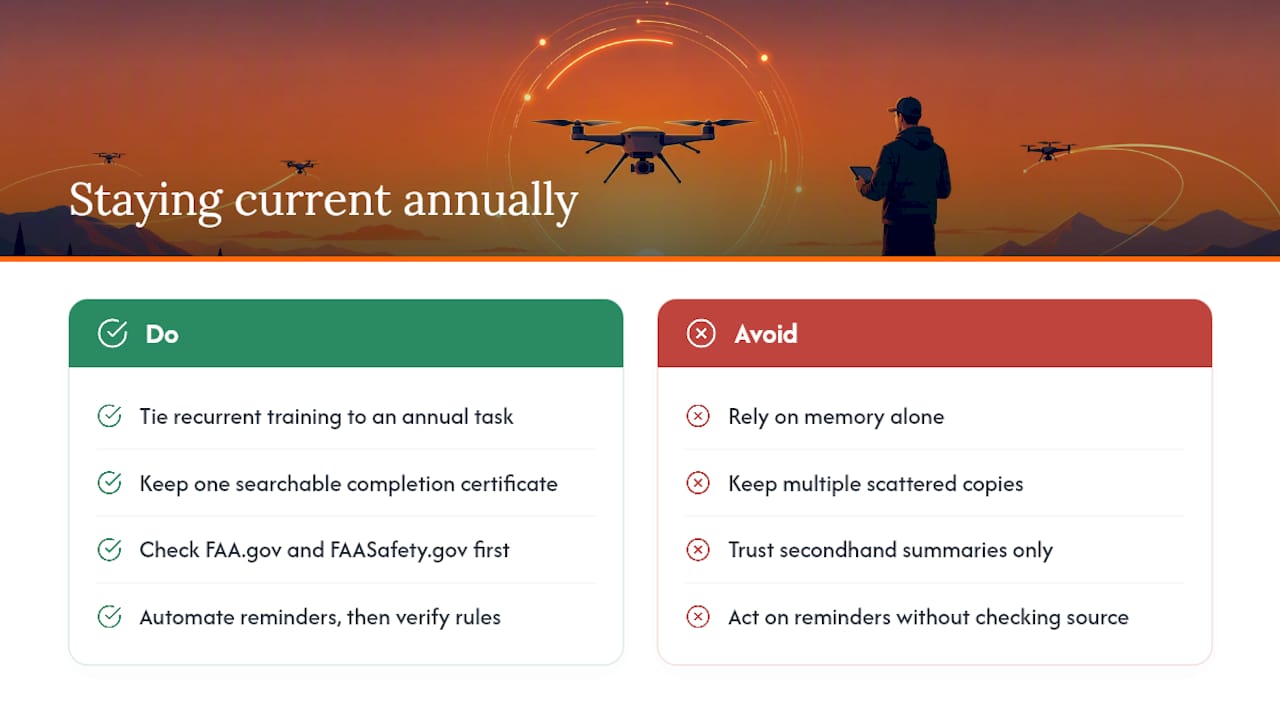
Keep one searchable digital copy of your completion certificate. Not three versions scattered across email attachments and old phones, one. That habit alone saves more headaches during client onboarding than any other single piece of paperwork.
Always check FAA.gov and FAASafety.gov directly for current course requirements rather than relying on secondhand summaries, including this one. Rules shift, and official pages update faster than blog posts do. Use a platform to automate your reminders, but verify the rule against the source before you act on it.
Sources
Recommended
Explore Dronable Tools
Deepen Your Knowledge
Get step-by-step video courses in the Dronable Academy — FAA Part 107, EASA, real estate drone photography, and more.
Browse CoursesFree: How to Start a Drone Business
The complete step-by-step guide to turning your passion for flying into a profitable drone business — completely free.
- 10 steps to launching your drone business
- 51 proven drone business ideas
- How to get FAA certified (Part 107)
- Pricing, clients & recurring income
Join the Dronable Newsletter
Get drone tips, new articles, and exclusive deals straight to your inbox. No spam, unsubscribe anytime.


